
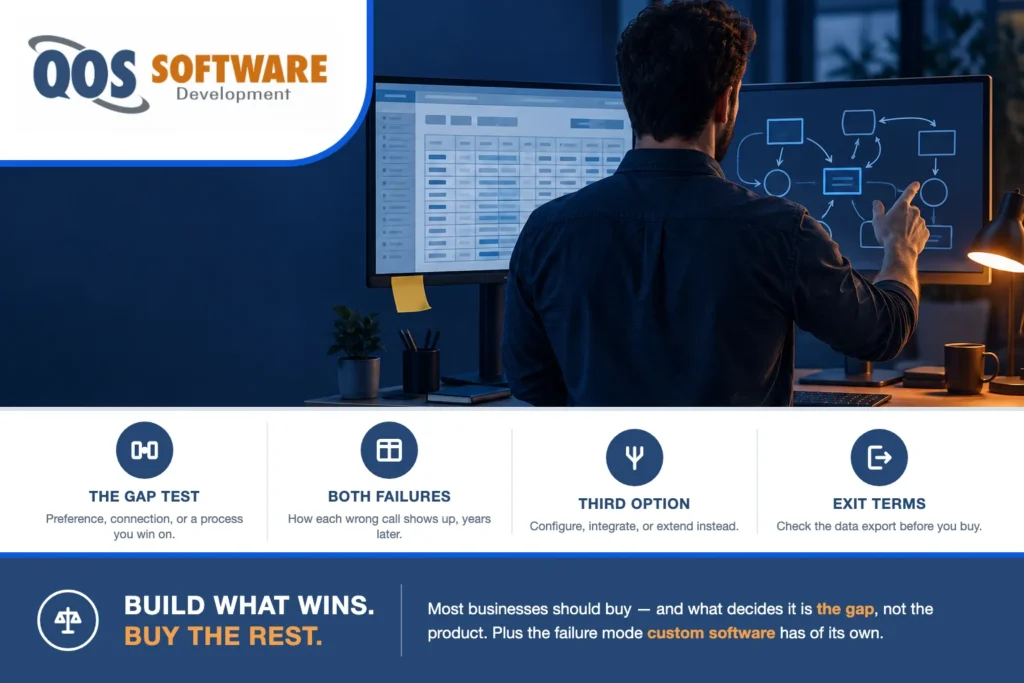
Buy off-the-shelf when a mature product covers the job and what it misses is a preference, not a process. Build custom software when the missing piece is how you win, or when nothing on the market connects the systems you already run. Most businesses should buy.
That is the whole decision, and notice what it is not about. It is not about the product. It is about the gap — the distance between what a product does and what your business does. Is that gap a preference, a connection, or a process you compete on? Three different gaps, three different answers, and most buyers never name which one they are looking at.
Custom software vs off-the-shelf: the question most buyers answer backwards
Almost every version of this decision starts in the wrong place. Somebody books three demos, builds a feature matrix, and asks which product is best. Six weeks later the matrix has forty rows, two vendors are effectively tied, and nobody has written down the one thing that actually decides it.
The product is not the variable. Mature products are mostly good. The accounting package, the CRM, the field-service app, the warehouse system — each has had a decade and thousands of customers grinding the rough edges off it. If the question were really “is this software any good,” the answer would nearly always be yes and you would already be done.
The variable is the gap. Every product covers most of what you do and misses some of it, and the entire decision lives in the part it misses:
- A preference — a report laid out differently, a field with another name, a screen in a different order. Buy. You are looking at a habit, and habits are cheap to change and expensive to rebuild.
- A connection — the product does its own job fine, but it does not tell the two other systems that also need to know. Connect it. The gap is between products, not inside one.
- A process you compete on — the specific way you quote, schedule, route, price, or fulfil, and a real reason customers pick you. Build. Nothing on the market does it, because the market averages.
Run that test before you run a demo and most of the shortlist sorts itself. QOS Software is a custom software development company, so the disclosure belongs here rather than buried at the bottom: this test sends most businesses to the buy column, and we would still rather you used it. The builds that go badly are almost always the ones that should have been a purchase, and they are expensive in a way nobody notices for two years.
When does off-the-shelf win?
Criteria lists are easy to agree with and hard to apply. So here are four things you can observe about your own company this week instead. Every one is behaviour, not opinion.
- You can describe what you do in the vendor’s words. Nobody on your side has to translate during the demo. The product says work order and you mean work order; it says stage and your stages are those stages. When a demo needs a running interpreter from your team, that is the signal — not a bad demo, a mismatched vocabulary, and vocabulary is where process hides.
- Your complaint is a layout, a label, or an order of screens. Ask the person complaining what it costs. If the honest answer is that it annoys them, or that the old system did it the other way, you are describing a habit. Habits feel exactly like requirements right up until somebody prices them.
- The workaround is one spreadsheet, touched by one person, about once a week. That is a normal amount of friction and it is cheaper than software. The number that matters is not whether a spreadsheet exists — it is how many people depend on it and how often. Weekly and one person is fine.
- You are content on somebody else’s roadmap. If the product shipped nothing new for a year, would you actually lose anything? If not, this process is not where you compete, and the vendor’s roadmap is a feature you get for free rather than a risk you carry.
There is a fifth sign, and it is the least comfortable one: somebody senior wants the new system to fix a problem that is not a software problem. Two departments that do not talk. A process nobody has ever written down. A rule that changes depending on who you ask. Buy the product anyway if it genuinely fits — but do not expect it to fix that, and do not build custom software to encode a process your own people have not agreed on yet. That is paying to make the disagreement permanent.
When does custom software win?
Same method, opposite direction. These are also observations, not aspirations.
- Somebody’s real job has quietly become reconciliation. Their title says analyst or coordinator. What they actually do all day is make two systems agree with each other. That is not a staffing problem — it is a missing piece of software with a person standing in for it, and a person is the most expensive possible implementation.
- The tool dictates a sequence your customers can feel. Not an internal annoyance, an external one: the customer waits because the product will not let step three happen before step two, or gets notified in an order that contradicts what you promised. Once the software’s opinion reaches the customer, it has stopped being a back-office tool.
- One process, three products, and every handoff is manual. Work leaves one system as an export and enters the next as an import, with a human as the transport layer. Count the exports in a single process. More than one, repeated weekly, is not a product problem — it is a seam problem.
- The licence has turned into a policy. The moment somebody waits for a seat to free up, or a role gets designed around who already has access, the per-user cost has stopped behaving like a cost and started behaving like a constraint on how you staff. That is a strange thing to let a vendor’s price sheet decide for you.
- You would be glad if a competitor watched you do it. This is the sharpest test we know. If you would happily let them see this process because it is genuinely better, the process is an asset, and assets are worth owning. If the thought makes you wince, you are about to spend real money making the wince permanent in code.
One caution, because it is the mistake we see most: wanting custom software and needing it feel identical from the inside. Both feel like ambition. The difference is that need can be described as a specific thing a person does by hand every week, and want can only be described as a strategy.
And if the alternative you are weighing already has a name, the decision is narrower than this article and belongs on the page that owns it: a SaaS subscription you are thinking of outgrowing is covered under web application development; a no-code app builder you have hit the ceiling of is covered under mobile app development; an integration platform you are pricing is covered under API integrations; a commerce platform you are extending is covered under ecommerce development; and a packaged ERP you are being asked to configure is covered under enterprise software development.
The failure-mode table: how each wrong call shows up
Neither wrong call announces itself. Nothing breaks on the day you sign. Both mistakes surface months or years later as symptoms, and the symptoms are specific enough to recognise early — which is the only reason this table is worth reading before you decide rather than after.
| You bought and should have built | You built and should have bought | |
|---|---|---|
| How it shows up | The process bends around the product: re-keying between tools, a spreadsheet that has quietly become the real system, exceptions handled by email | A team maintaining software that does what a mature product does, with fewer features and a roadmap only you can fund |
| Who feels it first | The people doing the work; later, customers who start noticing the seams | Whoever owns the maintenance line; later, users who watch a packaged product ship what you cannot |
| When you notice | Twelve to twenty-four months in, usually when a second tool gets bought to patch the first | At the first major upgrade, or when the developer who knew it leaves — often year two or three |
| The early warning sign | The word workaround enters the vocabulary; a login gets shared to dodge a seat fee; somebody’s title is effectively reconciler | The backlog is mostly features a packaged product ships by default — permissions, audit log, exports, single sign-on — and nobody can say what the software does that the product would not |
| What it costs to correct | A build plus a migration out of the tool’s data model — the longer you wait, the more history there is to move | A migration into a product plus writing off the build — sunk cost is what stops most companies from ever doing it |
Read the right-hand column twice. We sell custom software and we are publishing the way our own product fails, because it is the half of this comparison almost nobody writes down. A build that should have been a purchase does not crash — that would be easy to spot and easy to fix. It works. It just costs you a permanent maintenance line, a roadmap you fund alone, and a backlog full of features a product would have included for free.
The asymmetry between the two columns is the part worth carrying out of this article: the buy-mistake gets more expensive the longer you wait, and the build-mistake gets harder to admit. One is arithmetic. The other is ego, and ego keeps working software alive years past the point where anybody can justify it.
Which costs more, custom or off-the-shelf?
Neither, reliably — and any article that answers this with a single number is comparing two things that are not the same shape.
Off-the-shelf is a subscription: almost nothing up front, then a bill that scales on two axes you only partly control — how many people use it, and how long you keep using it. Custom is a capital outlay followed by a line item: most of the money lands before anything works, and then the cost flattens into maintenance that scales with how much you keep changing, not with how many people log in.
So the crossover is not a number. It is a slope, and two questions set it: is your seat count growing, and are you adding modules? A flat headcount on a product that already does the job will almost never cross over, and anyone who tells you otherwise is selling. A company adding people every quarter, adding the vendor’s next module every year, and paying for a connector on top of both is on a line that keeps going up — while the build’s line goes up once, hard, and then flattens.
The trade-off nobody likes: that flat line is only flat while somebody maintains it. Unmaintained software does not fail gradually. It decays quietly and then fails all at once, usually at a platform upgrade, and the invoice for two neglected years arrives in a single month.
For what the market actually charges — ranges, what moves them, what a real quote itemizes — that is our custom software development cost guide, which carries the numbers this article deliberately does not. And if you need the two options laid side by side over five years with the levers written down, that is a worksheet rather than an article: ours is linked at the end.
The third option: configure, integrate, or extend
Framing this as two options is a marketing artifact. It survives because the people who write about it sell one side or the other. In practice the right answer is a third thing more often than either pure option, and it is the cheapest of the three.
- Configure — when the gap is a field, a rule, or a report. Most buyers never reach the edge of what a modern product can already express, and the fastest money you will ever save is an afternoon with somebody who knows the product properly.
- Integrate — when the gap is the handoff between two products you intend to keep. Nothing is missing from either one. What is missing is the wire between them, and a wire is a much smaller project than a replacement.
- Extend — when the gap is one differentiating step sitting on top of a product you are keeping. The product stays the system of record; you build only the part that is actually yours.
Now the part that gets left out, and the reason “just configure it” is not automatically the safe answer. A platform configured far past its design becomes custom software you do not own. Three signs you have crossed that line:
- The configuration is understood by exactly one person, and it is not documented anywhere the vendor supports.
- A vendor upgrade is now something you schedule a testing window for, because it has broken your setup before.
- You are paying an outside specialist to maintain settings inside somebody else’s product.
At that point you have every cost of custom software — bespoke logic, a maintenance burden, key-person risk — and none of the benefits, because you cannot read the source, cannot test it properly, and cannot take it with you. That is the worst square on the board, and companies arrive at it one reasonable-sounding configuration at a time.
We would rather do the small version. If the honest answer is a two-week extension on a product you are keeping, that is what we will quote — a worse month for us than a platform build, and the version that is still running in three years.
Security and defaults: what each side gives you for free
This is the least romantic section in the comparison and it decides more post-launch pain than the feature list does.
A mature product hands you a pile of things you never asked for and would have forgotten to budget: single sign-on, an audit log, role-based permissions, a password policy, backups somebody else tests, a patch cadence, and a security team whose entire job is that one product. None of it appears on your invoice as a line item. All of it is real, and it is the most consistently underrated argument for buying.
A custom build hands you the opposite pile: your own data model, access rules that match your actual organisation rather than a vendor’s idea of one, no shared-tenant blast radius when a different customer of the same product gets breached, and nobody else deciding your data-retention policy. But every one of those controls is a line item you have to ask for. Nothing arrives by default. Single sign-on is a story in the backlog. The audit log is a story. Backup testing is a recurring calendar entry with somebody’s name on it, or it does not happen.
This is also where the shared-login warning sign from the table stops being a budget complaint and becomes a security finding. A password shared to dodge a seat fee destroys the audit trail — you can no longer say who approved, who changed, or who exported. If that is happening in your company today, it is not evidence that you need custom software. It is evidence of a control problem to fix this week, whichever side of the decision you land on.
One note on who does which job: running, patching, monitoring, and backing up whichever you choose is managed IT, which in our family is QOS MSP rather than a development shop. Building software and operating it are genuinely different disciplines, and a firm that claims both usually does one of them part-time.
Migration and switching: what nobody tells you before you decide
Both directions are reversible. They are not equally reversible at the same ages, and that asymmetry is the thing to plan around.
Leaving a product means getting your history out of somebody else’s data model. The export is rarely the whole story: computed fields were never stored, attachments and documents often live outside the main export, and the audit history — the part regulators and lawyers care about — is frequently not included at all. Leaving a build is the mirror image. The export is easy, because it is your database and you own it. The fit is hard, because you built things a packaged product has nowhere to put.
Which leads to the most underrated line in this entire comparison: on day one, the data-export terms matter more than the feature list. Features are what you compare while you are excited. Export terms are what decide whether this decision is reversible in four years, and they are negotiable exactly once — while the vendor still wants your signature.
Five things to settle before you buy anything, not when you leave: what you can export and in what formats; whether attachments and audit history are included; whether export is self-service or a paid professional-services engagement; how long your data is retained after cancellation; and whether the API you are quietly depending on exists in the tier you are actually buying rather than the one in the demo.
There is a development-side equivalent of the same idea — the ownership and exit questions to put to any developer before you sign — and those live in our vendor checklist rather than being repeated here.
When you don’t need us
Four situations where the honest answer is not a development project at all:
- The test came out buy. Then you do not need a developer — you need a good implementer and an export clause. A specialist who has configured that product forty times will get you further in a month than we would, for less, and the people who skip this step are the ones who write the cheque twice.
- The gap is one connector. One system needs to tell another system something. That is a small integration, and it deserves to be scoped and priced as a small integration, not as phase one of a platform.
- You want a formal, independent assessment across the whole stack — every system, every contract, every renewal date, with a recommendation you can put in front of a board. That is advisory work, and in our family it belongs to QOS Consulting, LLC, not to us. We have an obvious interest in the outcome; an advisor does not, and on a decision this size that difference is worth paying for.
- The product you are weighing is an AI agent or an automation workflow. Different vertical entirely — that is QOS Agentic, and we route it there rather than quoting it.
What is us: a scoping conversation about one specific build, with a real decision at the end of it — including the decision not to build.
Frequently asked questions
What is the difference between custom software and off-the-shelf software?
Off-the-shelf software is a finished product built for many companies and sold as a subscription or a licence. Custom software is built for one company and owned by that company. The practical difference is not quality, because mature products are usually good. It is fit and control. A product gives you a proven process, a vendor roadmap, and a large set of security and administration features by default, and you adapt to it.
Custom software gives you your own process, your own data model, and nobody else deciding what ships next, and you pay for everything the product would have included for free. The useful question is not which is better in general. It is what the product misses in your case: a preference, a connection between systems, or a process you compete on.
How do I know if my business needs custom software?
Look at behaviour rather than opinions. Four signs point toward custom software: somebody’s real job has become reconciling two systems by hand, the product forces a sequence your customers can actually feel, one process runs across three products and every handoff between them is a manual export, or people wait for a licence to free up so a vendor price sheet is now shaping how you staff.
The strongest single test is this one: would you be glad if a competitor watched how you do this step, because it is genuinely better than how they do it? If yes, that process is an asset and it is worth owning. If what you actually miss is a report layout or a familiar screen order, that is a preference, and a preference is not a reason to build.
What are the disadvantages of custom software?
It costs most of its money before anything works, and it never becomes free afterward. You fund the entire roadmap alone, so features a packaged product ships by default, such as single sign-on, audit logs, exports, and permission models, all become items in your own backlog. You carry key-person risk, because the developer who knows the system can leave.
You own maintenance permanently, and software nobody maintains decays quietly and then fails all at once, usually during a platform upgrade. The failure mode is also deceptive, because a bad build does not crash. It works, slightly worse than a product would have, at a price you keep paying. If nobody at your company can say what the software does that a mature product would not, that is this disadvantage showing up.
What are the disadvantages of off-the-shelf software?
You adapt to somebody else’s process and you live on somebody else’s roadmap. Costs scale with seats and with time, so a growing company pays more every year for the same capability, and the price of the vendor’s next module is rarely in the original comparison. The deeper disadvantage is the one people notice late: the process bends around the product.
Work gets re-keyed between tools, a spreadsheet quietly becomes the real system, and exceptions get handled by email. If you compete on the step the product handles generically, you are competing using the same process your competitors also bought. And leaving is governed by the export terms you agreed to on day one, which is why those terms matter more than the feature list when you sign.
Can you combine custom software with off-the-shelf products?
Yes, and that combination is the right answer more often than either pure option. There are three versions of it. Configure, when the gap is a field, a rule, or a report the product can already express. Integrate, when the gap is the handoff between two products you intend to keep, so you build the connection instead of a replacement. Extend, when the gap is one differentiating step on top of a product that stays your system of record.
The caution is knowing when you have gone too far, because a platform configured far past its design becomes custom software you do not own, with the maintenance burden and key-person risk of a build and none of the control. The signs you have crossed that line are an upgrade you now schedule a testing window for, and settings only one outside specialist understands.
Is it hard to switch from off-the-shelf software to custom software later?
It is usually possible and rarely cheap, and the difficulty is decided by terms you agreed to years earlier rather than by the technology. Leaving a product means extracting your history from its data model, and the parts that go missing are predictable: computed fields that were never stored, attachments and documents, and the audit history, which is often not in the standard export at all.
So ask before you buy what you can export, in what formats, whether attachments and audit history are included, whether the export is self-service or a paid engagement, and how long your data is retained after you cancel. Switching also gets more expensive as history accumulates, so the longer you wait the more there is to move. Both directions are reversible. Neither is free.
Our take
Build the part that makes you different. Buy everything else. And when a small change will do the job, do the small change — the version of this work that is still running in three years is almost always smaller than the version that got pitched.
Then the line a money page cannot really print, from a company that sells custom software: most of the businesses that ask us this question should buy. We say so in the first conversation, without a proposal attached, because the alternative is a build that technically succeeds and quietly loses money for years. The ones who genuinely should build usually already know which process is theirs. They are not looking for permission — they want somebody to confirm that the thing they cannot buy is real, and to say how big it is.
How we staff and run the builds we do take on, including who writes the code, is laid out on our why choose us page. And if you have a decision meeting coming up and you want both options side by side over five years, with the levers and the costs each side forgets written down, that is a worksheet rather than an article: our build-vs-buy guide is built to be taken into the meeting and argued with.
QOS Software is a founder-led team of senior developers, US-based and offshore, with AI handling the junior-level work under their direction so builds ship faster. We have been building software under QOS since 2007. Today we work from Indianapolis and the Chicago metro, and with clients nationally. If you want a second opinion on a decision you have already half made, a short conversation will get you a straight answer — no cost, no obligation, and we will tell you to buy if that is what the gap says.
